

OIT supports the learning technologies and classroom tools used for teaching and learning at Clark Atlanta University, including instructional platforms, classroom technology, and faculty support.

Canvas
Canvas is Clark Atlanta University’s official Learning Management System (LMS). It provides a centralized online environment for course content, communication, assignments, and grading.
Canvas allows users to:
- Access course materials
- Submit assignments and assessments
- Participate in discussions
- View grades and feedback
- Communicate with instructors and classmates
Canvas is accessed through MyCAU using CAU credentials
Academic Technology
The Academic Technology team supports teaching and learning by managing instructional technologies, supporting academic spaces, and equipping faculty with the tools needed to deliver effective instruction.
The team works closely with faculty, departments, and campus partners to ensure learning technologies are reliable, accessible, and aligned with instructional needs.
What We Support
- Technology in academic and instructional spaces
- Classroom audio-visual systems and teaching tools
- Learning technologies that support instruction and engagement
- Faculty use of classroom technology and educational tools
- Technical aspects of Canvas, including access, administration, and integrations
- Digital signage in academic and instructional environments
Canvas Support
Support for Canvas depends on the type of issue:
Contact IT Support for:
- Login or access issues
- Missing or incorrect course enrollments
- Course roster or data synchronization issues
- System-level issues involving Banner and Canvas
Contact Canvas Support for:
- Canvas tools and features
- Assignments, quizzes, modules, and discussions
- Course content or broken links
Canvas Support is available 24/7 by phone or chat through the Help menu within Canvas.
Classroom Technology
CAU classrooms are equipped with instructional technologies designed to support effective teaching and learning.
Common classroom technologies include:
- Zoom Rooms for hybrid instruction
- Interactive displays such as ViewSonic ViewBoards and SMARTBoards
- Presentation and screen-sharing tools
Academic Technology supports these environments to help ensure classrooms are ready for instruction and that faculty are equipped to use the technology confidently.
Classroom Guides
Detailed classroom technology guides and room-specific instructions are available through the OIT Knowledge Base accessible via Canvas.
These guides provide step-by-step instructions for using technology in specific academic spaces.
Faculty Training & Support
Academic Technology provides training and guidance to help faculty effectively use classroom technology and learning tools.
Training options may include:
- One-on-one or small group sessions
- Scheduled or recurring workshops
- Self-paced learning resources
To request training, contact academictech@cau.edu.
Class in Progress Support
If a technical issue occurs while a class is actively being taught and instruction is disrupted, it is considered a Class in Progress issue.
Faculty should contact IT Support immediately and state that the issue is a “Class in Progress” so it can be prioritized.
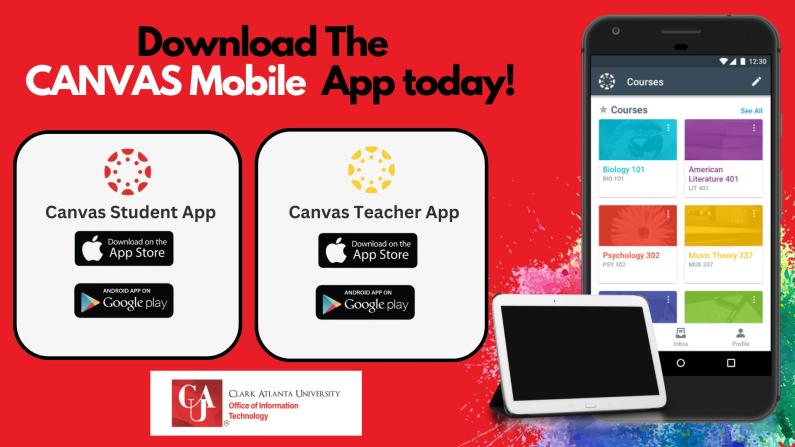
Canvas Mobile App
Canvas offers two mobile apps, one for students and one for instructors, designed to support learning and teaching from a mobile device.
- The Canvas Student app allows students to view course content, submit assignments, track deadlines, participate in discussions, and stay up to date on announcements and grades.
- The Canvas Teacher app allows instructors to manage course content, communicate with students, grade assignments, and provide feedback on the go.
Both apps help users stay connected to their courses anytime, anywhere.
Learn More:
Student Mobile App
Teacher Mobile App
Contact Us
Email: support@cau.edu
Phone: 404-880-6482
Location: McPheeters Dennis Hall, Room 331H
Walk-In Support: Monday - Friday | 9:00 a.m. - 5:00 p.m.
Quick Links
MyCAU
My Password Portal
IT Support
